One of the very first things you need to use DMR (Digital Mobile Radio) is your DMR id. These are provided by RadioID. Naturally, they require a copy of your licence to prove you hold your call sign, and show a stern warning along with a mock up of an Australian licence saying if it doesn’t look like this, you can’t proceed.
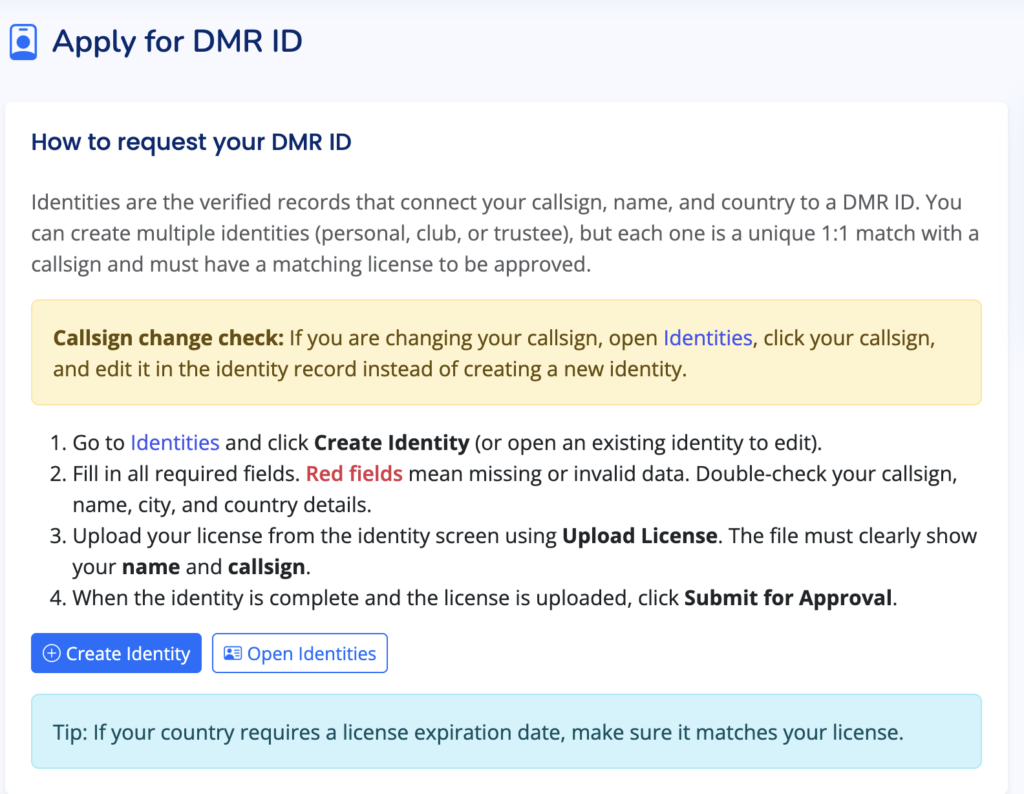
Unfortunately, since Australia moved to a class licence system in 2024, I no longer hold a licence with an expiry date etc. I googled around for what to do with no luck, but in the process discovered there was an Australian DMR group on Facebook – “VK DMR Network [OFFICIAL]” It’s a request-to-join type thing, but my application was approved, and about five posts down was someone asking that exact question I had.
If you’ve come here looking for the answer, it is to find the “Letter of Confirmation” the ACMA emailed you in 2024 and upload that – it’s something only you would have and it includes your name and callsign.
Even though I never use Facebook these days, I’d still recommend joining that group if you’re starting in DMR. DMR looks complex to get set up with lots of opportunities to go wrong, and the responses to questions in the group were welcoming and helpful.